Introduction
Have you ever wondered why some mobile apps receive thousands of downloads while others struggle to get noticed, even when they offer great features?
The answer is not always the quality of the app. Sometimes, the problem is visibility.
With millions of apps available across the Google Play Store and Apple App Store, getting your app in front of the right audience can be challenging. Users usually search for a solution, browse a few results, check ratings and screenshots, and decide within seconds whether an app is worth downloading.
This is where App Store Optimization (ASO) comes in.
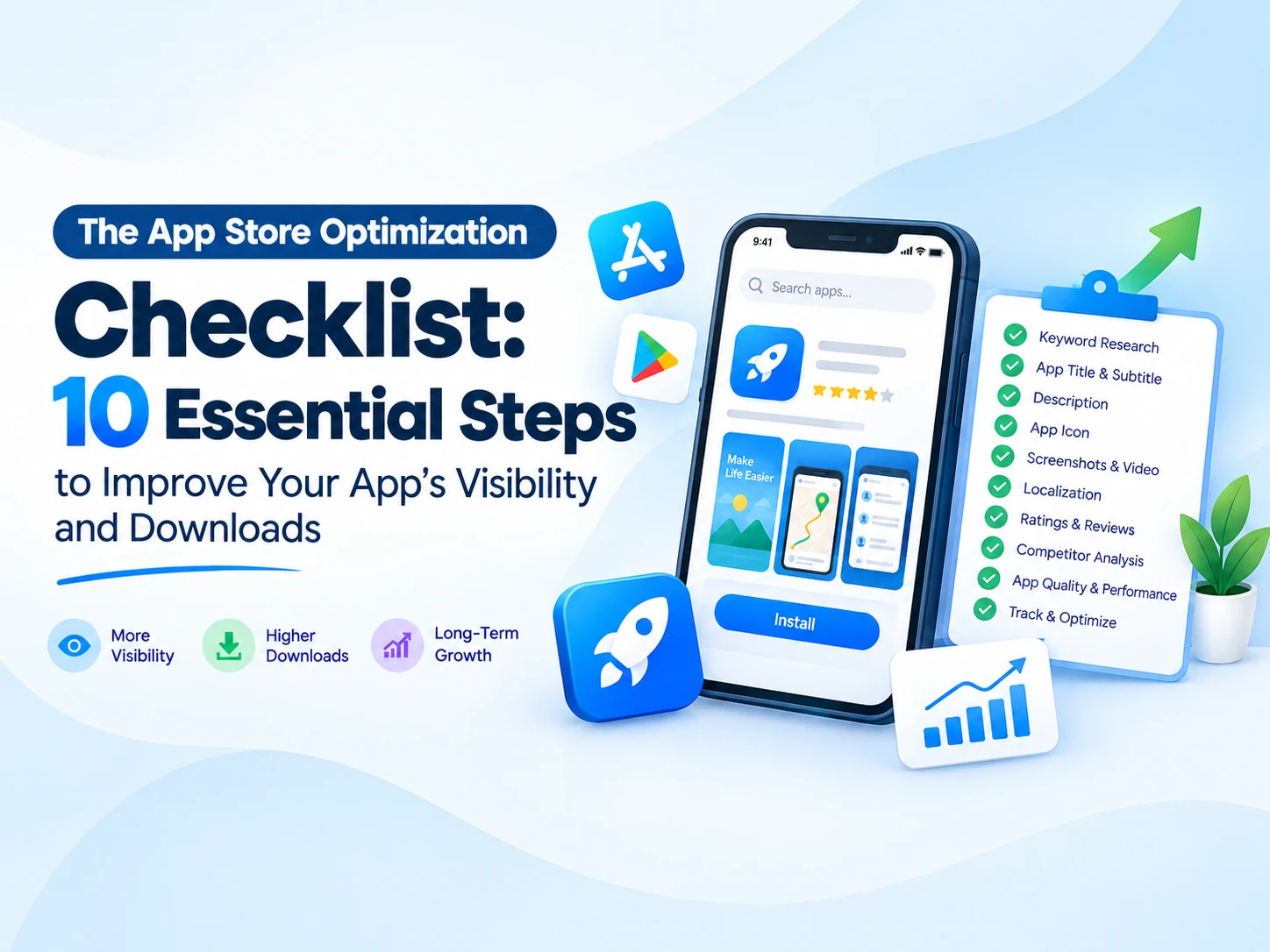
ASO is the process of improving your mobile app's visibility in app store search results and making its listing more appealing to potential users. Think of it as SEO for mobile applications. While traditional SEO helps people discover your website, ASO helps users discover your app.
Whether you have launched a new app or want to increase downloads for an existing one, following a structured ASO checklist can help you improve discoverability, attract relevant users, and build long-term growth.
Let's explore the 10 essential steps to optimize your app listing.
1. Research the Right Keywords
Keyword research is the foundation of a successful ASO strategy.
Before choosing your app title or writing a description, understand what your target audience searches for when looking for an app like yours.
For example, if you have developed a taxi booking application, potential users might search for terms such as:
-
Taxi booking app
-
Cab booking
-
Ride booking
-
Book a taxi online
-
Local cab service
However, simply choosing popular keywords is not enough. You need to identify terms that are relevant to your app and match the search intent of your audience.
What should you do?
-
Identify the main problem your app solves.
-
Research relevant search terms and variations.
-
Analyze keywords used by competing apps.
-
Consider long-tail keywords that describe specific needs.
-
Prioritize relevance over search volume alone.
-
Review keyword performance regularly.
You can use tools such as AppTweak, Sensor Tower, or MobileAction to support your research.
Pro tip: Avoid targeting every popular keyword you find. A smaller set of highly relevant keywords can attract users who are more likely to install and use your app.
2. Optimize Your App Title and Subtitle
Your app's name is one of the first things users notice. It also plays an important role in helping app stores understand what your app offers.
A good app title should be memorable, easy to understand, and relevant to your target audience.
For example, instead of using a vague name such as "RideNow," you could consider a descriptive title like "RideNow: Taxi Booking," provided it accurately represents the app and fits the store's current metadata requirements.
For the Apple App Store, the subtitle gives you additional space to explain your app's value. Google Play has its own title and short-description fields, which should be optimized separately.
What should you do?
-
Keep your brand name clear and recognizable.
-
Include a primary keyword naturally where appropriate.
-
Explain the app's purpose without unnecessary wording.
-
Follow the current character limits for each store.
-
Avoid keyword stuffing, misleading claims, and promotional phrases that violate store policies.
Remember, your app title is not just a place to insert keywords. It should help users immediately understand why they should consider your app.
3. Write a Compelling App Description
Once users discover your app, your listing needs to convince them that it is worth installing.
Your description should clearly explain what the app does, who it is designed for, and how it makes life easier.
For Google Play, the description can contribute to search relevance. On the Apple App Store, keyword indexing works differently, so the description should primarily focus on communicating value and encouraging users to download.
A simple structure works well:
-
Opening: Explain the main benefit of your app.
-
Key features: Highlight the most useful capabilities.
-
User benefits: Describe how those features solve real problems.
-
Trust: Include accurate information about security, reliability, or support.
-
Call to action: Encourage users to try the app.
For example, a school management app might highlight attendance tracking, fee management, parent-teacher communication, examination results, and timely notifications.
Instead of listing features without context, explain the benefits. For example, "Track attendance in a few taps" communicates a practical advantage more clearly than simply saying "Attendance module."
Pro tip: Write for people first and search algorithms second. A readable, useful description is more persuasive than a paragraph filled with repeated keywords.
4. Design an Eye-Catching App Icon
Your app icon is one of the most recognizable elements of your store listing. It appears in search results, on your app's store page, and on users' devices.
A confusing or cluttered icon can make your app look less professional, even if the product itself is excellent.
A strong icon should communicate your brand identity through a simple, recognizable visual.
Your app icon checklist:
-
Use a clean and distinctive design.
-
Choose colors that remain recognizable at small sizes.
-
Avoid unnecessary text and complicated details.
-
Maintain consistency with your app's branding.
-
Follow the latest Apple App Store and Google Play icon specifications.
-
Preview the icon at different sizes and against different backgrounds.
For example, a healthcare app might use a simple medical symbol combined with a distinctive brand color, while a finance app could use a clean geometric mark.
Do not copy the icon of a competitor just because it performs well. Build a recognizable identity of your own.
5. Create High-Quality Screenshots and Preview Videos
Users often decide whether to install an app by looking at its screenshots before reading the full description.
Your screenshots should show the actual experience users can expect, not merely attractive designs.
Instead of displaying a series of unexplained screens, use screenshots to communicate your app's strongest benefits.
For example, a food delivery app might showcase:
-
Discover restaurants near you.
-
Browse menus and compare options.
-
Place orders in a few simple steps.
-
Track deliveries in real time.
-
Manage orders and payment details.
Best practices for screenshots:
-
Place your strongest feature in the first screenshot.
-
Use short, readable headlines.
-
Show real app interfaces.
-
Keep text legible on smaller devices.
-
Maintain consistent colors, typography, and spacing.
-
Follow the image dimensions and quantity requirements of each store.
-
Test different screenshot sequences when the available data supports it.
A preview video can also help demonstrate your app's functionality, especially when the experience is easier to understand in motion.
Pro tip: Design screenshots around user benefits rather than technical features. Show users what they can accomplish with your app.
6. Localize Your App Listing for Different Markets
If your app serves users in multiple countries or language groups, localization can help you reach a broader audience.
Localization means adapting your app listing to the language and expectations of a particular market. It involves more than translating words from one language to another.
For example, an app targeting users in India might benefit from relevant English and Hindi listings, while a Maharashtra-focused service might also consider Marathi localization if its audience uses that language.
What should you localize?
-
App title and subtitle or short description, where supported.
-
Full app description.
-
Screenshots and promotional text.
-
Preview videos and relevant on-screen content.
-
Keywords where the store supports localized keyword fields.
-
Customer support information and other relevant listing details.
Research the search terms users actually use in each language. Direct translations do not always reflect local search behavior.
Also, make sure your app itself supports the languages you advertise. A localized listing that leads to an app with an inconsistent language experience can disappoint users.
7. Encourage Genuine Ratings and Reviews
Ratings and reviews influence how potential users perceive your app. They can help build trust, reveal usability problems, and highlight features users appreciate.
An app with frequent complaints about crashes or login problems may struggle to convince new users, regardless of how attractive its listing looks.
The solution is not to chase five-star ratings. It is to deliver a better experience and make it easy for satisfied users to share honest feedback.
What should you do?
-
Ask for feedback after users complete a positive experience.
-
Use official in-app rating prompts where available.
-
Respond professionally to user reviews.
-
Address recurring complaints in future updates.
-
Monitor ratings after major releases.
-
Make it easy for users to contact support when they need help.
Never buy fake reviews, incentivize ratings in prohibited ways, or pressure users into leaving positive feedback. These practices can damage trust and violate app store policies.
Pro tip: Reviews are a source of product insights. If users repeatedly request the same feature or report the same issue, consider it valuable feedback for your development roadmap.
8. Monitor Competitors and Test Your Listing
ASO is not a one-time task. Competitors update their listings, search trends change, and user expectations evolve.
Regularly reviewing competing apps can help you identify opportunities to improve your own listing.
Look at apps serving a similar audience and compare:
-
Titles and positioning.
-
Keywords and feature descriptions.
-
Icons and screenshot styles.
-
Ratings and common review complaints.
-
Release frequency and visible product improvements.
-
The benefits emphasized in their listings.
The objective is not to copy competitors. It is to understand what users respond to and identify ways your app can communicate its value more effectively.
You should also experiment with your own listing. Where supported, Google Play store listing experiments and Apple product page optimization tools can help you compare creative variations.
For example, you might test two icon designs or different screenshot sequences to determine which generates a better install conversion rate.
Change one major element at a time where possible, and allow sufficient data to accumulate before making decisions.
9. Improve App Quality, Performance, and Retention
Getting downloads is only part of the job. If users install your app and immediately uninstall it because it crashes, loads slowly, or is difficult to use, your growth will be difficult to sustain.
App quality supports the entire ASO process because it influences user satisfaction, reviews, retention, and the long-term reputation of your product.
Use this quality checklist:
-
Fix crashes and critical bugs.
-
Reduce unnecessary loading times.
-
Improve navigation and onboarding.
-
Test the app across supported devices and operating system versions.
-
Monitor battery usage and network performance.
-
Resolve login, payment, and notification issues.
-
Keep dependencies and security measures up to date.
-
Release meaningful improvements based on user feedback.
Track metrics such as crashes, application not responding (ANR) issues on Android, uninstall patterns where available, and user retention.
Tools such as Firebase Crashlytics and platform analytics can help you identify technical problems.
Do not assume that every drop in downloads is caused by a technical issue. Use data to determine whether the problem is discoverability, listing conversion, product quality, or a combination of factors.
10. Track Performance and Keep Optimizing
The final step is to measure your results and turn them into a repeatable improvement process.
Without tracking performance, you may spend time changing keywords, screenshots, or descriptions without knowing which changes actually helped.
Start by establishing a baseline before making major ASO changes. Then monitor performance over time.
Important metrics to track:
Metric What it tells you Search impressions How often your app is shown in relevant search contexts, where reported Product page views How many people visit your store listing Store conversion rate How effectively your listing turns eligible visitors into downloads or installs Organic installs Installs attributed to organic discovery, according to the platform's definitions Keyword rankings How your app appears for selected search terms Ratings and reviews How users perceive your app Retention Whether users continue using your app after installation Crash and ANR rates Whether technical issues are affecting the experience
Use Google Play Console and App Store Connect to monitor the metrics available for your app.
Review the data regularly and look for patterns. For instance, if your listing receives more visits but installs do not increase, your screenshots, messaging, ratings, or perceived value may need attention.
If your app attracts downloads but users do not return, investigate onboarding, performance, and whether the product delivers on its promises.
A simple monthly ASO review can help you prioritize the next set of improvements.
Your Ultimate App Store Optimization Checklist
Before publishing a new app or updating an existing listing, use this quick checklist.
-
Research relevant keywords and competitor listings.
-
Optimize the app title and store-specific metadata.
-
Write a clear, benefit-focused description.
-
Design a recognizable app icon.
-
Prepare compelling screenshots and, where useful, a preview video.
-
Localize your listing for relevant markets.
-
Encourage genuine ratings and respond to reviews.
-
Review competitors and test listing variations.
-
Fix performance issues and improve the user experience.
-
Monitor store analytics and refine your ASO strategy.
You can revisit this checklist after every significant release and during regular marketing reviews.
Conclusion
App Store Optimization is not about finding a secret keyword or making a single change that suddenly doubles your downloads. It is about consistently improving how users discover, understand, and evaluate your mobile app.
From keyword research and compelling visuals to genuine reviews and app performance, every element contributes to the overall experience.
Start with the areas that need the most attention, measure the results, and keep improving based on real user behavior.
If you are planning to launch a new mobile application or want to improve the visibility of an existing one, investing in a structured ASO strategy can help you build a stronger foundation for sustainable growth.
Need help developing or growing your mobile app?
At Kodesoft Technologies Pvt. Ltd., we help businesses turn their ideas into practical digital solutions through mobile app development, web development, and digital services. Whether you are planning a new application or looking to improve your existing product, a combination of thoughtful development and a well-planned app marketing strategy can help you move forward.
Visit Kodesoft Technologies to explore our services and discuss your next project.
Frequently Asked Questions (FAQs)
1. What is App Store Optimization (ASO)?
App Store Optimization is the process of improving a mobile app's visibility in app store search results and making its listing more effective at attracting installs.
2. Is ASO different from SEO?
Yes. SEO focuses on improving the visibility of websites in search engines, while ASO focuses on app discovery and conversion within app stores. Both rely on relevance, useful content, and ongoing performance analysis.
3. How long does ASO take to show results?
There is no fixed timeline. Results depend on competition, app category, keyword demand, listing quality, app performance, and the amount of data available. Monitor changes over several weeks or longer rather than expecting immediate results.
4. Is ASO free?
You can perform many ASO activities without purchasing specialized tools, including improving your metadata, preparing screenshots, responding to reviews, and monitoring platform analytics. Paid ASO tools can provide additional keyword and competitor insights.
5. Can ASO increase app downloads?
Yes, ASO can improve discoverability and store listing conversion, which may increase downloads. However, results are not guaranteed and depend on the app, its audience, competition, and the quality of the overall user experience.
6. Which tools are useful for ASO?
Google Play Console and App Store Connect are essential starting points. Tools such as AppTweak, Sensor Tower, and MobileAction can provide additional keyword research and competitor analysis capabilities.
7. Should I update my app listing regularly?
Review it regularly, but do not make changes without a clear reason. Use performance data, user feedback, competitor activity, and market trends to decide when updates are worthwhile.
8. Is ASO important for newly launched apps?
Absolutely. A new app needs a clear identity, relevant metadata, compelling visuals, and a reliable user experience to compete for attention. Starting with ASO best practices helps establish a solid foundation for future growth.

Comments: